

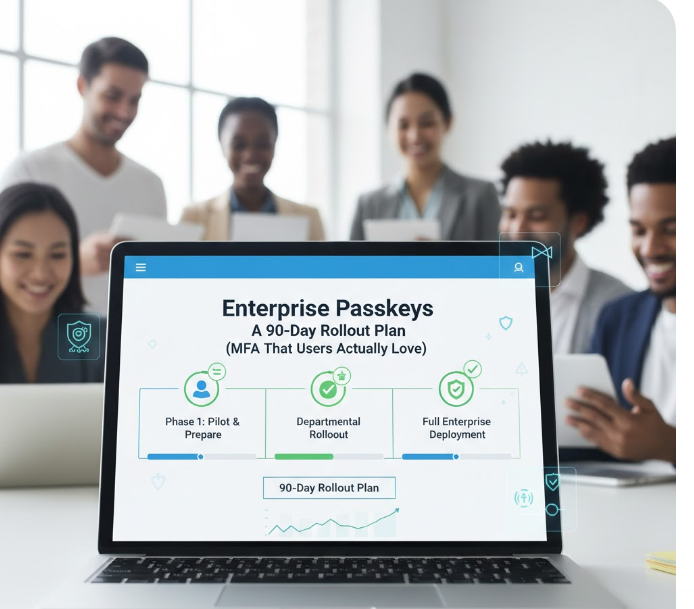
Enterprise Passkeys: A 90-Day Rollout Plan (MFA That Users Actually Love)
Passwords have been the weakest link in enterprise security for decades, yet they’ve survived because every alternative either hurt usability or shifted complexity to users. Passkeys change that equation for the first time.
What’s different now isn’t just the technology — it’s adoption. Industry reporting from the FIDO Alliance and identity-focused publications shows passkeys achieving around 93% sign-in success rates, with billions already in active use across consumer platforms. Enterprises are no longer experimenting in isolation; they’re building on patterns users already trust in their daily lives.
For platform security leaders, the question is no longer if passkeys belong in the enterprise, but how to roll them out without breaking workflows, overwhelming the help desk, or creating recovery nightmares.
This guide outlines a realistic 90-day rollout plan that balances security, usability, and operational reality — and shows how passkeys naturally support a user-controlled identity model that strengthens authentication without expanding stored personal data.
Why Enterprises Are Moving Now
Three pressures are converging.
First, users are ready. Employees already unlock laptops and phones with biometrics dozens of times a day. Passkeys feel familiar, not foreign, which removes the biggest historical barrier to MFA adoption.
Second, the security upside is immediate. Passkeys are phishing-resistant by design. There is no shared secret to steal, no password database to leak, and no push notification to fatigue into approval. For organizations battling credential-based attacks, this is a structural fix, not another patch.
Third, operational costs are forcing the issue. Password resets and MFA failures remain among the top drivers of help-desk tickets. Passkeys directly reduce those events instead of trying to manage them more efficiently.
The result is a rare win-win: stronger security that users actually prefer.
Device-Bound vs Synced Passkeys: Choosing the Right Trust Model
One of the earliest decisions enterprises must make is where passkeys live.
Device-bound passkeys are stored in hardware-backed secure elements such as TPMs or secure enclaves. They offer the strongest security guarantees and are well suited for administrators, privileged roles, regulated environments, and shared workstations. The trade-off is recovery: when a device is lost or replaced, organizations need clearly defined fallback paths.
Synced passkeys, on the other hand, are backed up and synchronized across a user’s devices through platform ecosystems like Apple, Google, or Microsoft. They dramatically improve usability and reduce lockouts, especially for knowledge workers who move between devices. The trust boundary is wider, but for many roles, the UX benefits outweigh the risk.
In practice, most mature deployments use both. Risk-based segmentation — not ideological purity — is what makes passkeys work at enterprise scale.
Days 0–30: Laying the Groundwork
The first month should focus on decisions, not enforcement.
Security teams need a clear picture of who will use passkeys and where. Workforce users, contractors, administrators, and partners all have different risk profiles. Access paths matter just as much: SaaS applications, internal portals, VPNs, RDP, and legacy systems all behave differently under modern authentication.
This is also the moment to define recovery and break-glass policies. Passkeys reduce lockouts, but they don’t eliminate device loss or human error. Enterprises that succeed treat recovery as a first-class security flow, not an afterthought, with time-bound break-glass access and auditable recovery events.
Equally important is deciding what identity data no longer needs to be stored. Passkeys allow strong authentication without passwords, knowledge-based questions, or excessive profile data. This aligns directly with Keywix’s user-controlled identity philosophy: authenticate users cryptographically while minimizing retained PII and reducing breach impact.
Days 31–60: Pilot and Enrollment Experience
The second phase is where theory meets reality.
A small pilot group should be chosen deliberately — users on modern devices who authenticate frequently and are willing to give feedback. Their experience will expose friction early, before it becomes an enterprise-wide problem.
Enrollment should feel almost boring. The most successful deployments introduce passkeys immediately after a successful login, explain the value in plain language, and complete enrollment in a single flow using existing biometrics. If users have to read documentation, adoption will stall.
During this phase, passwords should remain available as a fallback. The goal is not to prove passkeys can replace everything instantly, but to validate real-world scenarios such as new device provisioning, remote access, VPN connectivity, and device replacement.
Metrics matter here. Sign-in success rates, authentication time, and help-desk tickets will tell you far more than theoretical threat models.
Days 61–90: Scale and Enforce with Confidence
By the third month, passkeys should move from optional to expected.
New users can be enrolled by default, while existing users are prompted progressively rather than forced all at once. High-risk access — administrative consoles, finance systems, external entry points — is the right place to enforce phishing-resistant authentication first.
As confidence grows, legacy password flows can be retired selectively. Every removed password reduces attack surface, operational overhead, and compliance exposure.
At this stage, leadership-level metrics become powerful. Organizations typically see fewer authentication failures, fewer MFA complaints, and a noticeable drop in password-related support tickets — often within weeks.
The Reality of VPNs, RDP, and Legacy Systems
Skepticism around passkeys often centers on enterprise edge cases, and not without reason.
Modern VPNs that support SAML or OIDC integrate cleanly with passkeys, while older appliances may require phased coexistence. Windows environments benefit significantly from device-bound passkeys combined with Windows Hello for Business, particularly for RDP and administrative access. Legacy applications rarely block progress outright, but they do reinforce the need for federation layers rather than direct authentication rewrites.
Passkeys don’t instantly modernize legacy infrastructure — but they make the cost of not modernizing far more visible.
Help Desk Impact: Fewer Tickets, Better Outcomes
One of the most consistent outcomes of passkey adoption is a shift in support load.
Password resets and MFA push issues drop sharply. What replaces them are fewer, more meaningful interactions around device lifecycle and recovery. Over time, even those decrease as users become familiar with the model.
The net effect is not just lower volume, but better quality support work.
Stronger Authentication Without Identity Overreach
Passkeys prove that security and privacy don’t have to be at odds.
By removing passwords and shared secrets, enterprises can authenticate users more securely while storing less sensitive data. When combined with a user-controlled identity approach, like the one Keywix promotes, this creates a cleaner trust model: strong authentication, minimal data retention, and clear ownership boundaries.
That balance is becoming a competitive differentiator, not just a compliance checkbox.
Final Thoughts
Passkeys are not just another MFA option. They represent a structural shift in how enterprises think about authentication, usability, and identity risk.
A disciplined 90-day rollout makes the difference between a stalled experiment and a durable platform upgrade. Organizations that act now will reduce breach risk, lower operational costs, and give users something rare in security: an experience they actually like.
And once users stop fighting authentication, everything else gets easier.